Skip to content

Tuesday, 25 March 2014

Wifi Hacking - Part 1


Wifi Hacking - Part 1


As i promised i will be writing  some articles on WiFi (Wireless Network) hacking in the next few days , In this very first article i will list out a few  tools and  things that you require for WiFi Hacking


Wireless adapter
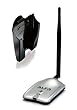
The biggest requirement you'll need is a wireless adapter that's capable of packet injection, there are many cards capable of injecting packets, You can search  Google for the compatibility list of WiFi cards

I use Alfa AWUS036H which is a very popular card and it performs well with Backtrack


BackTrack Live Cd or Usb
Backtrack is a Linux distro with all  the essential tools required for penetration testing , I have already written  articles on how to make a backtrack live CD / USB ,If your new here i would recommend you to read the following articles to get a better understanding of what backtrack is and how you can use it 

  • How to Install Backtrack - On Vmware
  • How To Make a Bootable Backtrack CD / USB

continue reading Wifi Hacking - Part 1

Monday, 24 March 2014

Hack Facebook / Twitter accounts using Fire Sheep

Hack Facebook / Twitter accounts using Fire Sheep


In my Previous tutorial Hack Facebook /twitter accounts by stealing cookies we hacked Facebook book by side jacking i.e stealing cookies and injecting them in our browser . In this tutorial we will do the same by using a tool Fire sheep .This hack works when computers are connected in  a LAN (Local area network ) or when connected in public WiFi . Best place try out this hack is in schools , collages where computers are connected in LAN and in public places such as airports , hotels  where there's public WiFi


What is Fire Sheep
Fire sheep is an extension developed by Eric Butler for the Firefox web browser. The extension uses a packet sniffer to intercept unencrypted cookies from certain websites (such as Facebook and Twitter) as the cookies are transmitted over networks, exploiting session hijacking vulnerabilities. It shows the discovered identities on a sidebar displayed in the browser, and allows the user to instantly take on the log-in credentials of the user by double-clicking on the victim's name


Hack Facebook / Twitter accounts  using Fire Sheep

Thing we Need :

1. Firefox Browser

2. Fire sheep Firefox plugin 

Procedure :

1. First Download and install Firefox browser and Fire sheep add on

2. Open Firefox , Now click the (1) view button then select (2) side bar finally click(3) fire sheep or simply press ( ctrl + shift +s ) to open fire sheep


3. Now you can see fire sheep has opened up in the side bar Now select your interface by
 going to preferences as shown


4. Now click  on start capture button and wait for a while ,


5. Now you can see different pre- authenticated  sessions on the  side bar select the session which you want .


6. Now you will be automatically logged in the victims account . You can use this tool to hack Facebook/Twitter accounts

Note :- This Hack works only  when computers are in a LAN or WiFi  

Hope you enjoyed this tutorial . In my next article we will look at some of the countermeasures that we can take against these kind of attacks  .Till then have a nice time ........

continue reading Hack Facebook / Twitter accounts using Fire Sheep

How to Send Encrypted Mail through Gmail (Secure Gmail by Streak)

How to Send Encrypted Mail through Gmail (Secure Gmail by Streak)


Secure Gmail encrypts and decrypts emails you send in Gmail. This happens all on your machine, and the unencrypted text never reaches Google servers. This is useful if you don’t want anyone but the intended recipient to ever read your email (i.e. companies, governments, etc.)
First Install Secure Gmail by Streak plugin in your chrome browser from here
Now refresh your Gmail Click on the lock icon next to the compose button. 
Compose your email and send
Enter a password; your recipient will need to enter the same password.
To decrypt the email, your recipient will also need the Secure Gmail extension installed, as well as the password.
continue reading How to Send Encrypted Mail through Gmail (Secure Gmail by Streak)

Email spoofing: The story of “Congratulations you have won a lottery” like spam emails

Email spoofing: The story of “Congratulations you have won a lottery” like spam emails


Mail vs E-mail
Back in old days when internet was not so common, we had to rely only on the postal/courier services. The only thing that bugs me about the traditional mail is their speed. This is when email comes. It offers numerous benefits, like its blazing fast, most of the time its free,  you can attach from pictures to videos, from management point of view you don’t have to maintain a hard folder, last but not least its environment friendly. In short, email is one of the greatest inventions of all time.
What is a spam?
I’m not that old, but again back in those dial-up connection days, there was no such thing as Gmail, most of people either used Hotmail or Yahoo mail for the emails. The problem with these two email service providers is the spams. Spams are irrelevant emails coming to you, mostly used for marketing a product/service, but they are cases where spam emails have hacked a person through social engineering attack or session hijacking. Phishing is also associated with spoofed emails, phishing is “the fraudulent practice of sending emails purporting to be from reputable companies in order to induce individuals to reveal personal information, such as passwords and credit card numbers“.
If you only use Gmail, you are a lucky person, because Google has got some very intelligent and sophisticated spam filtering mechanism. And frankly speaking I don’t get spams at all in my Gmail, but in case of Ymail or Hotmail … let’s just not talk about it.
What is e-mail spoofing?
In today’s article I will focus on Email spoofing. So, the first question you may ask is what is spoofing? Spoofing in simple terms is when Alice tries to be Bob. Email spoofing is when Alice sends an email to Eve but she keeps her identity to be Bob. When Eve receives an email she thinks that Bob has sent the email but it’s not. 
*PLEASE NOTE THIS TUTORIAL IS FOR EDUCATIONAL PURPOSES ONLY. GENERATING SPOOFED EMAILS OR SPAM IS ILLEGAL AND PUNISHABLE UNDER THE LAW. YOU WILL BE RESPONSIBLE FOR YOUR ACTIONS.*
Platform: Windows 7 (also works on MAC and Linux)
How to spoof an e-mail ?
There can be different ways of spoofing an email, but I am going to use “sendmail” program for it. Sendmail is a simple command line program used to send emails via SMTP protocol.
1. Go to Google and type “sendmail google code”. Open the page highlighted below.
2. This is what sendmail on google code looks like.
3. Go to the download section and download the appropriate file, as I m on windows so, I will be downloading the “.exe” file.
Open the command line and call the program “mailsend”. As soon as you type mailsend, the first thing it will ask for is SMTP server. This is a very critical part, if you don’t provide the right SMTP server your email will not be sent. You have to chose a SMTP server that doesn’t require authentication. I will be using PTCL’s SMTP server i.e “smtp.ptcl.com.pk“, this server runs on port 25.
Next in “from”, enter the email ID of the person you want to spoof, In this case I m making a spoof email of Bill Gates i.e “billgates@microsoft.com“
Provide the email id of receiver, I m giving my own email id.
Enter subject and then write your message, after you have completed your message.
Press enter, then press dot button and again press enter, a message will pop that your email has been sent.
Here you can see my inbox has got that spoofed email.
Inbox overview.

Author: This Article Written by Fowz Masood who has completed his bachelor’s in Electrical Engineering (Comp Engg) He is pursuing a master’s degree in Computer Communications and Security from SEECS-NUST, Pakistan. He has wide variety of interests Computer security/Network security
continue reading Email spoofing: The story of “Congratulations you have won a lottery” like spam emails

10 Must Have Free Android Apps


Lately i have been in love with my android phone, Once i was a guy who used to see phones as silky small dumb device, but soon things changed when i first purchased my Lg optimus me android phone , Following are some of the apps that i use and cant live without it  :D 


I thought  i should share this article with my readers who use android phones and see how many of you use these apps . The best thing about this post is  i am  actually posting this from my phone (via blogger app)


10 Must Have Free Android Apps

1. SetCPU

Root Required 

SetCPU is a tool for changing the CPU settings capable of overclocking and under clocking  SetCPU allows the user to exert total control over how fast, or slow, the processor runs at any given point in time. As an example, SetCPU can force the processor to sit at its lowest setting whenever the screen is turned off, but to use a range between 240MHz and 806MHz as needed while the phone is awake. For phones that have the ability to drastically overclock, SetCPU can help ensure that they don't overheat by keeping watch on the temperature, and acting accordingly. Overclocking or not, battery savings and overall performance can be greatly enhanced using this app


2. Titanium Backup


Titanium Backup is the most powerful backup tool on Android, and then some.You can backup, restore, freeze (with Pro) your apps + data + Market links. This includes all protected apps & system apps, plus external data on your SD card. You can do 0-click batch & scheduled backups. Backups will operate without closing any apps (with Pro). You can move any app (or app data) to/from the SD card. You can browse any apps data and even query the Market to see detailed information about the app.


3. Lookout


Protect your phone with award-winning security & antivirus from Lookout Lookout is lightweight, free antivirus for Android. it also has other features like finding lost mobile using GPS, Backup  etc


4. SSHDroid


Connect through SSH to your device! SSHDroid is a SSH server implementation for Android.This application will let you to connect to your device from a PC and execute commands (like "terminal" and "adb shell") or edit files (through SFTP, WinSCP, Cyberduck, etc...).


5. Advanced Task Killer


Just because Android apps have no "close" button doesn't mean they shut down when you return to the home page or move on to another app. You calendar, note pad, and programs in which you turn on event notifications might periodically run in the background, depleting your battery. Download and run Advanced Task Killer Free. You'll be amazed at the apps that run on start-up without your knowledge. While you can kill the task killer along with other apps, we recommend letting it run so you can easily use it a couple times throughout the day. Being able to set conditions for killing running apps would be an interesting future touch.


6. Where's My droid


When you lose your phone while the ringer is turned off it can be impossible to find it. Where's My Droid fixes that problem. After texting your phone a custom attention word the app turns the ringer volume up and makes your phone ring. It's also possible to get the GPS location of your phone in latitude and longitude and a link to Google maps


7. Orbot


Enhance your privacy, break through firewalls and communicate more safely.Orbot is the official port of Tor to Android. Tor is a network of virtual tunnels that allows people and groups to improve their privacy and security on the Internet.


8. Busy Box

Busybox is often called "the Swiss Army Knife of Embedded Linux," because that's what it basically is. It's not an actual app that you run, but instead provides all the Linux/UNIX commands that we know and love. Without the commands installed, the barebones "Linux" that Android runs on top of can't really do too much, making apps like Terminal Emulator nearly worthless.


9. Wifi Anaylyzer


Turns your android phone into a Wi-Fi analyzer!!Shows the Wi-Fi channels around you. Helps you to find a less crowded channel for your wireless router.


10. Es File Explorer

ES File Explorer for Android is a free, featured all-in-one file manager & application manager & task killer & drop box client & ftp client which explores your phone and your computer. It allows android users anywhere in the world to manage their resources for free, it makes easy to manage, stay connected using your 3G, EDGE or WiFi, and share with friends, upload photos, watch videos.
continue reading 10 Must Have Free Android Apps